
onWebChat – Live Chat
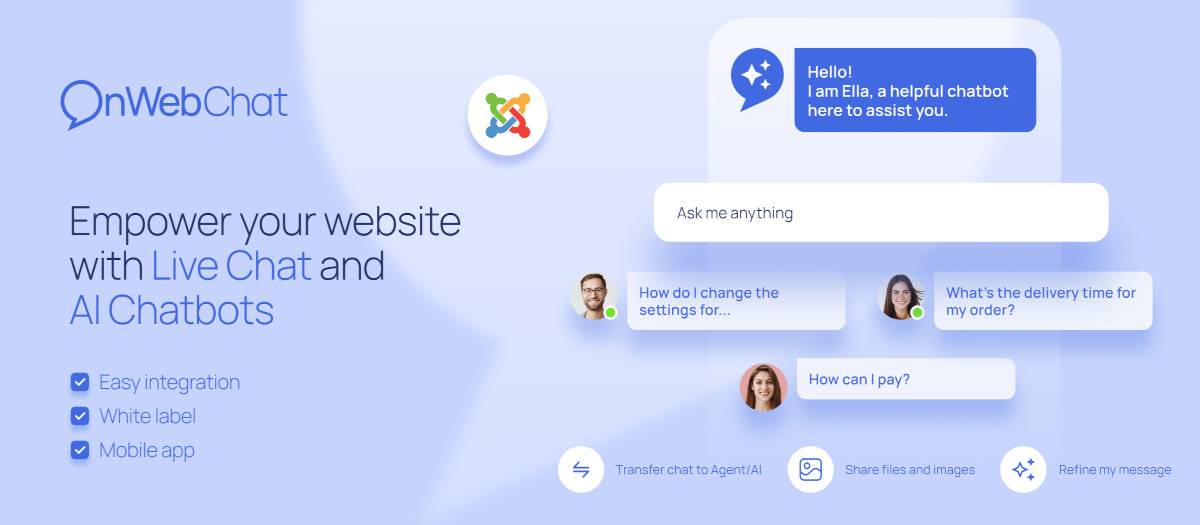
Don't let hesitant customers slip away! Install the onWebChat live chat extension in under a minute to provide exceptional customer support and boost customer satisfaction.
New: Elevate your customer service with our AI chatbot—designed to enhance user experience and automate responses, ensuring 24/7 support for your visitors!
Our live chat extension seamlessly integrates with your Joomla website, allowing real-time interaction with your visitors, monitoring web traffic, and boosting conversions.
Start your live chat journey today! Sign up for our 100% Free live chat plan, which is always free, and as a special bonus, enjoy a 1-month free trial of our Pro AI plan. Additionally, explore our AI chatbot with 50 bot credits.
Key Features & Benefits:
Real-Time Monitoring: Track your visitors' behavior.
AI Chatbot: Next-Level Support with our AI-Powered Chatbot! Support your visitors 24 hours per day, 7 days a week.
Customizable Widget: Tailor the chat widget’s appearance.
Live Chat Triggers: Engage users automatically.
Department Routing: Direct chats to the right agent.
Chat Ratings: Let visitors rate your support.
Typing Insights: See what visitors are typing in real-time.
Mobile Support: iOS and Android apps available.
Transferability: Easily switch chats between agents.
Metrics & Analytics: Measure performance.
Data Security: GDPR-compliant and SSL-secured.
...and many more!
Enhance Customer Experience:
Free direct chats
Offline email messaging
In-page chat integration
Easy file sharing
Your customers will love the convenience!
Need Assistance?
Have questions? Chat with us directly on https://www.onwebchat.com!
Installation
- Create an account on onWebChat live chat service.
- Login to the onWebChat Dashboard, go to "Settings" > "Installation Code" and copy the "Chat Id".
- Install the onWebChat live chat extension on your website.
- Paste the "Chat Id" in the field and click "Save".
Chat widget is already on your website!
FAQ
How can I integrate the AI chatbot into my website?
If you haven’t joined onWebChat yet, simply sign up for an account. Once registered, you’ll gain access to the Pro AI plan and receive 50 AI bot credits to start using our AI chatbot. Integration is effortless, just provide some training data (questions-answers), and you’re ready to test your AI chatbot on your website!How is the AI chatbot priced?
You can try our beta AI bot with 50 free bot credits that we provide with registration. In general, to use the AI chatbot, you’ll need to be on our Pro AI plan. Pricing starts at $6 for 200 chat dialogs (chat sessions), with lower prices available if you want to buy more chatbot credits.Can the AI bot understand questions, even those with errors, in any language?
Absolutely! Our AI chatbot excels at understanding questions, even those with mistakes. It leverages your data to provide accurate and freshly crafted responses, akin to human communication. Additionally, it offers multilingual support, allowing it to converse with your visitors in their preferred language, regardless of the language of your data.Do I need to pay for using onWebChat?
No payment or credit card is required to sign up. When you sign up, you'll receive the Pro AI plan free for 1 month. After the 1-month trial period, if you don't make a payment, the system will automatically downgrade your live chat account to the Free plan. The Free plan offers almost all features except white label and AI bot, making it excellent for most small businesses.
Please visit our pricing page for more info.Do I have to install any extra software?
No, you only need to install this extension and sign up for onWebChat live chat service.How can I change the appearance of the live support widget on my website?
You can change/modify all your chat widget settings from your onWebChat Dashboard.Can I translate any text on the chat widget?
Yes, all texts are translatable and you can set your own language and texts according to your preferences.Can I initiate a chat before the visitor does?
Yes, simply click on a visitor from the visitors' list or employ automated Triggers.Can I hide chat’s widget when I am offline?
Yes, in order to do that, you just need to unmark "use offline form" located on your onWebChat Dashboard. The chat widget will be hidden when all agents are offline or have select "invisible" status. If you select to use offline form, the offline form will be shown.Is there a white-label option?
Yes, on the Pro AI Plan you can hide onWebChat logo from your chat window.How safe is our data?
We take data security very seriously. All communication between you and your web visitors are encrypted on an SSL (Secure Socket Layer). This ensures that all live chat messages remain private and integral.In which languages is onWebChat available?
At the moment onWebChat Dashboard is available in the following languages: English, Swedish, German, French, Italian, Spanish, Portuguese, Slovenian, Greek and Turkish.
Do you need any assistance? Feel free to chat with us on www.onwebchat.com
Enhance customer service with our live chat plugin, now featuring automated AI chatbot support for 24/7 visitor engagement.
Extension Data :
- Compatibility :
- Joomla 3.xYes
- Joomla 4.xYes
- Joomla 5.xYes
- Joomla 6.xYes

