
ArsenalPay for Joomshopping
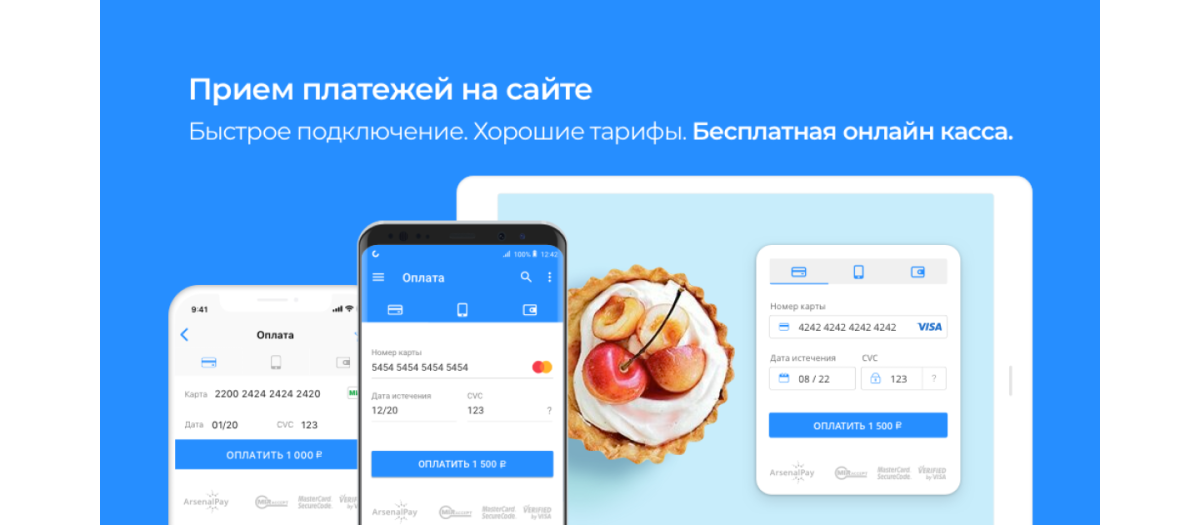
ArsenalPay: ????? ???????? ??? ??????? ??????-?????
Version
1.0.3
For Joomshopping 3&4 and Joomla! 2.5&3.x
Source
Official integration guide page
Module in Joomla! Extensions Directory
Basic feature list:
????????
ArsenalPay – ??????? ? ???????? ????????? ?????? ??? ??????? ?????? ???????. ???????? ??? ?????, ?? ? ???????????, ?????????????????? ? ??????.
????? ?????? ??????
?? ????? ???????? ??? ?????????? ?????? ?????, ?? ??????? ??????? ??????? ??? ???????? ?????????? ?????
????????? ?????? ????????????? ??? ????? ?????? ?????
?????? ????????????? ?? ??? ????????? ???? ????????? ?? ??????? ????????. ??? ?????-???? ???????, ??????????? ???? ??? ????????? ? ????????.
??????
2,6% ?? ???????? ??????.
??????? ???????? ??? ??????? ????? 1 ???.
??????????? ? ?????????? ?????????.
????????? ArsenalPay, ?? ??????? ????????? ?????? ??????? ??? ??????:
- ?????????? ???? Visa, MasterCard, Maestro ? ???, ?????????? ? ????? ????? ????
- ??????? ?????????? ???????? ?????????? ???, ???????, ?????? ? ????2
- ????????? ??????????? ?????????
????????? ??????????? ArsenalPay ?????? ????? ??????? ????????????? ???????????? – ? ???????????? ?? ???????????? ?????????? ???????????? ?????? ????????? ????????? ???? PCI DSS.
?????? ????? ?? ?????
??? ?? ????? ???????? ??? ?????????? ???? ?????? ?????.
?? ??????? ??????? ??????? ??? ???????? ?????????? ?????.
??? ?????? ?????????? ??????? ? ???????? ???????? ????? ????????? ??????? ArsenalPay. ??? ???????????? ?? email ?????? ???????, ? ?????????? ? ??????? ????? ??? ????????? ? ?????????.
??? ??????? ???????? ????? ?????? ????? ArsenalPay.
?? ????????? ??? ????? ? ?????????? ???? ?? ????? ?????? ???????. ? ???? ??????????? ??? ?????? ?? ??? ???????????? ????, ? ????? ??? ??????????? ??????, ? ???????????? ? ??????? 54-??.
??? ?? ???????? ??????? ????? 40 ????? ?????? ? ??? ?? ??????? ??? ?????? ????? ? ??????????? ??????????. ??? ??????? ? ?????? ?? ??????? ?????? ???? ? ???????? ?????????? ????? ????? ?? ArsenalPay ? ???????? ? ???????? ?? ?????????.
????????? ??????????
- ?????????? ?????????? ? ??? ???????? ???????.
- ????????????????? ? ??? ? ??????? https://arsenalpay.ru/dashboard/register?step=1
- ??? ????? ???????????? ?????? ???????, ??? ????? ?? ???????? ??? ??????????? ????????? ??? ????????? ??????????:
- ????????????? ??????? (widgetId)
- ????????? ???? ??????? (widgetKey)
- ????????? ???? ??? callback-??????????? (callbackKey)
- ???????? ??? URL ??? callback-??????????? ?? ???????? ?????? ??????????, ????? ????? ????????? ??????? ? ????? ???????? ?????????? ?????? ??????.
- ??????????? ??????? ? ?????????? ? ??????.
?????? ???????
???? ?? ???????? ???????????? ???????? ?????? ???????? ? ????????:
- ?????????? ? ??????? ????????
- ???? ?? ?????? ??????????
- ?????????? ? ??????? ?????
- ????????? ? ?????? ????????
- ????????????? ??????????? (?????????????????) ????????
- ??????????? ??????
- ??????? ????????
????? ??? ???? ???????, ?? ???????? ?????? ???? ?? ?????? ?????????? ? ?????? ???????, ???? ?? ???????? ?????? ??? ?????? ???????.
??? ?????? ?????????? ??? ???????????? ?? email ?????? ???????, ? ?????????? ? ??????? ????????? ? ?????????. ??? ???? ??????????? ? ????? ?????? ????????, ?? ?????? ??????? ?????, ?????????? ??? ??????????? ????? ???.
?????? ??? ?? ?????? ?? ????? ???????? ??? ?????????? ???? ?????? ?????, ?? ? ????? ???????????? ?????? ????? ?????? ????????? ??? ???????? ?? ????????? ? ?????? ??????.
How to install
- Download the latest release by clicking this link (IMPORTANT! The archive must contain the structure of the project itself started at
components, without any additional folder in the upper level of the structure.) - Go to Joomla! admin panel.
- There go to Components > JoomShopping > Install & Update.
- Upload ArsenalPay module zip package.
Configuration
- Go to Components > JoomShopping > Options > Payments.
- There find ArsenalPay and click on Edit.
- In General tab you can change the Title of ArsenalPay payment method as you wish it will be appeared at your site.
- Go into Config tab and make following settings there:
- Fill out Widget ID,Widget Key, Callback key fields with your received widget id, widget key and callback key.
- Your online shop will be receiving callback requests about processed payments for automatically change of order status. The callbacks will be received onto the address assigned in the field Callback URL of the payment module settings.
- Set order statuses for successful, check, cancel, hold, reverse, refund transactions.
- You can specify ip address only from which it will be allowed to receive callback requests about payments onto your site in Allowed IP address field.
- Save your settings by clicking on Save & Close
How to delete
- Go to Components > JoomShopping > Options > Payments in Joomla! admin panel
- Delete ArsenalPay payment method.
- To delete completely all module files go to your web site server via ftp and delete pm_arsenalpay folder from its installed directory path
pathToYourSiteFoler/components/com_jshopping/payments/.
Usage
After successful installation and proper settings new choice of payment method with ArsenalPay will appear on your site. To make payment for an order a payer will need to:
- Choose goods from the shop catalog.
- Go into the order page.
- Choose the ArsenalPay payment method.
- Check the order detailes and confirm the order.
- After filling out the information depending on the payment type he will receive SMS about payment confirmation or will be redirected to the page with the result of his payment.
Changelog
- 1.0.3 - Upgrade to move from frame to widget.
- 1.0.2 - Upgrade if you need to handle the amount in callback less that the total amount of the order.
We always willingly wait emails from you with your suggestions.
pay@arsenalpay.ru
arsenalpay.ru
arsenalpay.com
Arsenal Media LLC Arsenal Pay processing center
Extension Data :
- Compatibility :
- Joomla 3.xYes
- Joomla 4.xYes
- Joomla 5.xYes
- Joomla 6.xYes

