
Advanced Admin Menu
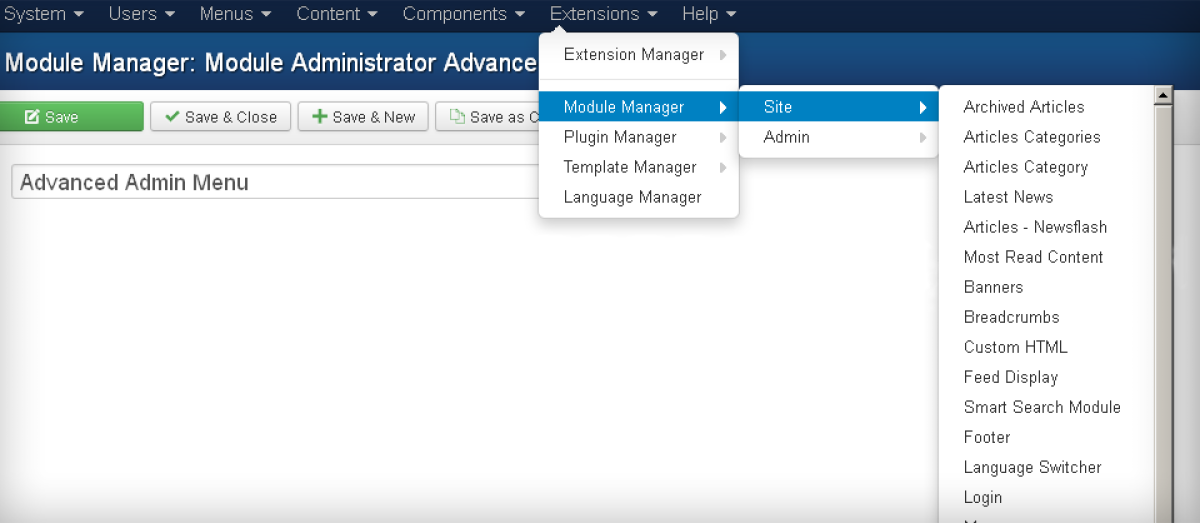
Adds the following possibilities:
- open menu items on mouse hover action
- select existing components configurations from the menu
- view all the frontend menu items in the Menus item without entering the Menus component page
- direct acces to some of the Extension Manager views
- access to the Admin/Site modules component views and add new modules from the main menu
- view the list of plugin folders and appropriate plugins inside them
- view the list and access to the Styles and Templates views
- show the status of different components, plugins, menu items
- the menu is always active
Usage:
- Download the .zip.
- Go to the Extensions -> Extension Manager in the admin Joomla part.
- Drag the zip onto the upload field and Upload & Install.
- Go to the Extensions -> Module Manager -> Administrator.
- Click on the Advanced Admin Menu module.
- Select the menu position and Publish it.
- Save & Close.
- Disable the Admin Menu module.
- Test the new module.
Extension Info :
The advanced menu for the Joomla 3 Admin side. Based on the default mod_menu module.
Extension Data :
- Compatibility :
- Joomla 3.xYes
- Joomla 4.xYes
- Joomla 5.xYes
- Joomla 6.xYes

