
Mootools Enabler/Disabler
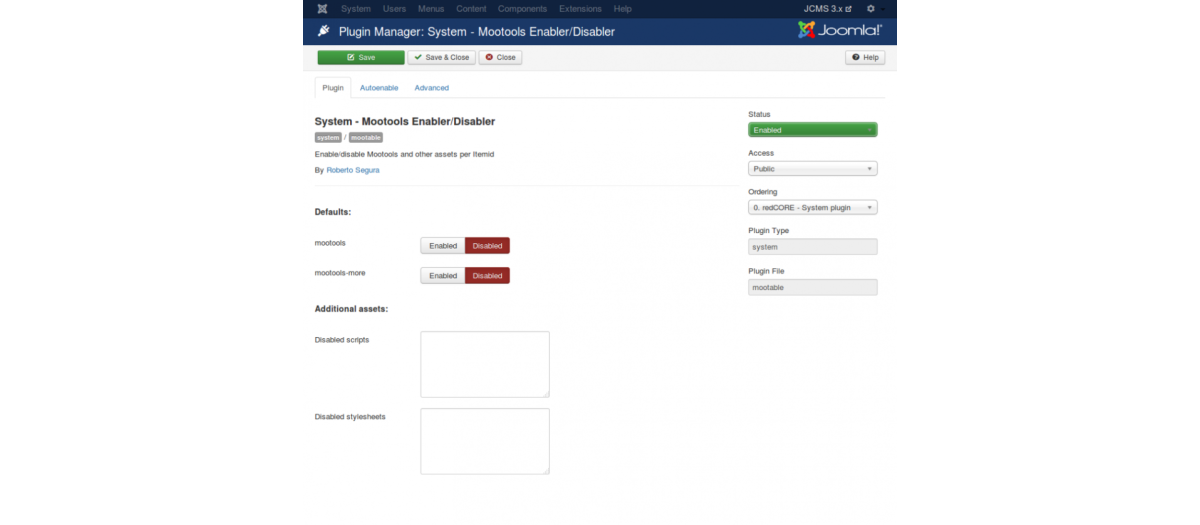
Features:
- Save up to 600KB per page load
- Choose the default Mootools mode between enabled or disabled
- Add exceptions directly from menú entries
- Allows the user to add scripts to disable.
- Nulls any window.addEvent calls.
- Removes JCaption calls
- Autoenable mode for content edition.
- Autoenable mode by component ( thanks Hans Kuijpers!).
- Autoenable mode for frontend com_users.
- Joomla! 3.0 compatible.
Install / Configure:
- Download the ZIP file on the right panel
- Install it in your Joomla! through Extension Manager
- Go to Extensions > Plug-in manager and search a plugin called "System - Mootools Enabler/Disabler". Click it to enable / configure the plugin and select the desired default mode.
- In your menu entries you will see now a new panel called: Mootools enable/disable. Use it to specify if Mootools has to be enabled/disabled in this item.
Available Languages:
- Dutch. Thanks to Rene Kreijveld!
- English
- German. Thanks to Johannes Hock!
- Polish. Thanks to Pawel Frankowski!
- Portuguese (Brasil). Gracias a Mary Mar Alejo!
- Spanish
This extension is free. If you like it please write a review.
Extension Info :
Mootools is loaded by default in Joomla! 2.5.x. This plugin gives you the control of when is loaded Mootools. Disable Mootools for all your website except for specified items or just enable for all except for specified items.
Extension Data :
- Compatibility :
- Joomla 3.xYes
- Joomla 4.xYes
- Joomla 5.xYes
- Joomla 6.xYes